Azure Hybrid Benefit Tracking: Unlock 40-55% SavingsAZURE
Automatically detect Windows Server VMs and SQL Server databases not using Azure Hybrid Benefit licensing. Find the Windows VMs and SQL databases paying Microsoft twice, and see what each one is worth on your own bill.
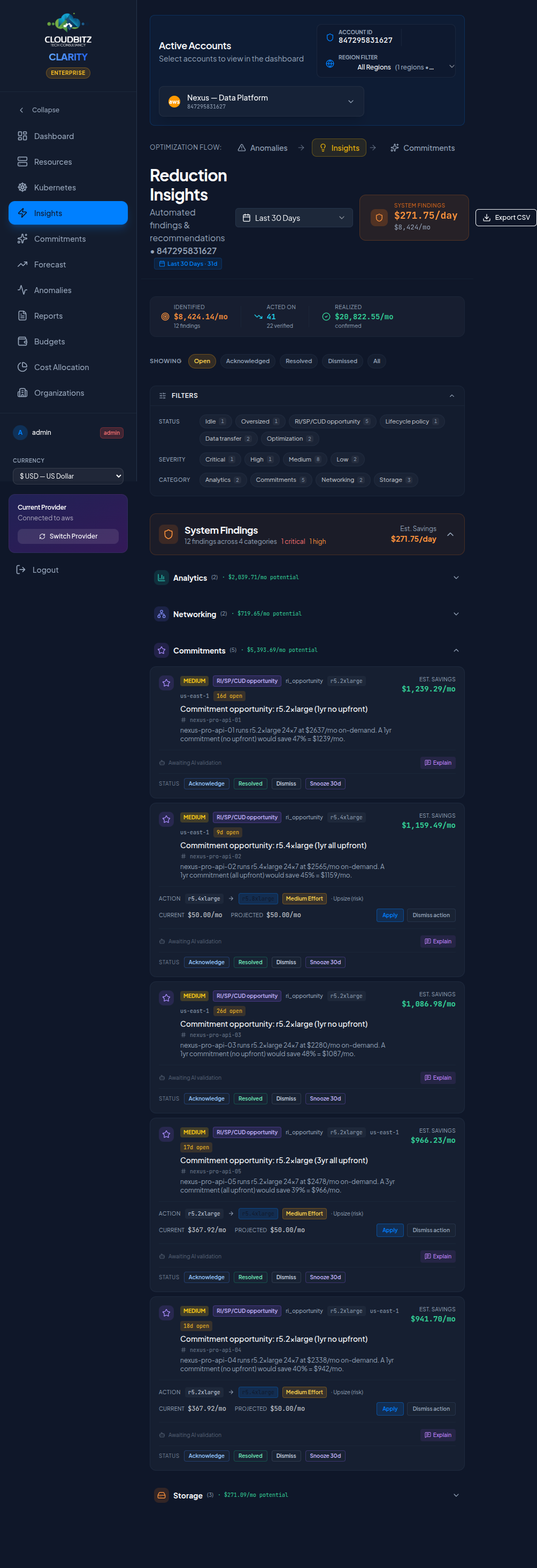
What's New
CloudBitz now tracks Azure Hybrid Benefit (AHUB) licensing across your Windows Server VMs and SQL Server databases.
- Automatic Detection: Identifies resources not using AHUB licensing
- Instant Savings Calc: Shows 40% savings potential (VMs) and 55% (SQL)
- Actionable Insights: Copy-paste Azure CLI commands to enable AHUB
- Cost Optimization Focus: Not license inventory — we track savings, you manage licenses
The Problem: Hidden AHUB Opportunities
Most Azure customers with existing Microsoft licenses don't realize they're overpaying for Windows Server and SQL Server workloads in the cloud. Azure Hybrid Benefit (AHUB) allows you to bring your on-premises licenses to Azure and save 40% on Windows VMs and 55% on SQL databases — but finding which resources are eligible requires manual auditing across potentially hundreds of VMs and databases.
The reason it goes unnoticed is not carelessness. licenseType is set at deployment
time, it is invisible on the Azure cost screens, and nothing about a VM's behaviour changes
when it is wrong — the machine runs identically whether you are paying for the licence twice
or not. It is a field that only shows up on the invoice, aggregated with everything else.
The Solution: Automatic AHUB Detection
CloudBitz now queries Azure APIs to detect the licenseType property on every Windows VM and SQL database.
If a resource is configured as "License Included" (paying for the license) but could use "BasePrice" or "Windows_Server"
(bring your own license), we flag it as an optimization opportunity and calculate the exact monthly savings.
Windows Server VMs
Example: $300/month → $180/month
Save $120/month per VM
SQL Server Databases
Example: $1,200/month → $540/month
Save $660/month per DB
What You Get
1. Dashboard Hero Card
When Azure is connected and AHUB savings exceed $500/month, a prominent blue banner appears at the top of your dashboard showing:
- Total monthly & annual savings potential
- Count of eligible VMs and SQL databases
- One-click navigation to detailed recommendations
2. Azure-Specific Insights Section
The Insights page now features a dedicated "Licensing" category with Azure branding:
- Blue background & "AZURE" badge — visually distinct from multi-cloud insights
- Grouped opportunities — all AHUB findings in one collapsible section
- Human-readable names — "Production Web Server 01" not "web-prod-01"
3. Detailed Insight Modal
Click any AHUB opportunity to see:
- Before/After Cost Comparison — visual grid showing current vs. AHUB pricing
- Azure CLI Commands — copy-paste ready commands to enable AHUB
- License Requirements — clear disclaimer about Software Assurance needs
- Savings Breakdown — exact monthly/annual impact per resource
Example Azure CLI Command:
az vm update \
  --resource-group production-rg \
  --name web-server-01 \
  --license-type Windows_Server
4. Cost Optimization Reports
AHUB opportunities now appear in executive reports with:
- Summary statistics (total savings, resource counts)
- Top 10 Windows VM opportunities
- Top 10 SQL Database opportunities
- License compliance disclaimer
What it found — and what happened next
We ran this rule against our own production Azure subscription, twenty virtual machines. It is worth telling honestly: for months it found nothing at all, and the reason turned out to be worth a post of its own. Once fixed, it surfaced exactly one candidate — $94.17/month on a single VM. That VM is now deallocated, which is why the finding no longer shows as open — its licensing was never actually corrected, the machine is simply off.
For the full story — the two defects that kept the rule silent, why eighteen of the twenty VMs were never real candidates in the first place, and a five-minute command you can run against your own subscription to check — read The Line Item That Isn't There.
What This Is (and Isn't)
Cost Optimization, Not License Management
CloudBitz is a FinOps platform, not a Software Asset Management (SAM) tool.
What we do: Detect which resources have/don't have AHUB enabled, calculate savings potential
What we don't do: Track total licenses owned, show "X of Y licenses used", manage license compliance
Why the limitation? Azure APIs don't expose total license counts — that data lives in Microsoft's Volume Licensing Service Center (VLSC) and has no API. Every FinOps competitor faces this same limitation, though some marketing materials suggest otherwise.
The 40% and the 55% are assumptions, and the product says so
Microsoft publishes Azure Hybrid Benefit as saving "up to" those figures. What you actually save depends on your region, your VM series, whether you hold Software Assurance, and what share of the machine's bill is licence rather than compute and storage. We apply a flat 40% to a Windows VM's total cost and 55% to a SQL database's, and that is a band, not a quote.
So the figure carries its own provenance. Every savings number in CLARITY is classified as
measured, quoted, assumed or none,
and both AHUB rules are declared assumed in
shared/savings-provenance.ts, with the reason written next to them: "40% of
the VM bill assumed recoverable by applying an owned Windows Server licence." A finding
built on a percentage band is not presented the same way as one built on a price we can cite.
There is a third AHUB rule, ahub_misconfigured, and it claims no dollars
at all. It fires when the benefit is enabled where it cannot apply — Linux, most
commonly — which is a licensing mistake worth telling you about and not a saving worth
quoting. Its provenance entry reads none. A finding that invents a dollar figure
to look actionable is worse than one that admits it has none.
Our approach: We're honest about what we can and can't do. We show you cost optimization opportunities based on real Azure API data. You remain responsible for license compliance — CloudBitz simply helps you avoid overpaying for licenses you already own.
Getting Started
- Connect Azure — Add your Azure credentials if you haven't already
- Wait for sync — AHUB insights generate automatically within 5-10 minutes
- Check Dashboard — Look for the blue "Azure Cost Optimization" banner
- Review Insights — Navigate to Insights → Licensing category
- Enable AHUB — Use the provided CLI commands or Azure Portal
Have questions about license compliance? Consult with Microsoft licensing specialists or your procurement team to confirm you own the required licenses with active Software Assurance before enabling AHUB.
Technical Details
How It Works
- Data Source: Azure Compute API (
vm.licenseType) and Azure SQL API (database.licenseType) - Detection Logic:
- VMs:
licenseType === 'None'+osType === 'Windows'+state === 'Running' - SQL:
licenseType === 'LicenseIncluded'+state === 'Online'
- VMs:
- Minimum Thresholds: VMs ≥ $50/month, SQL DBs ≥ $100/month (filters noise)
- Savings Calculation:
- Windows VMs:
currentCost × 0.40(40% AHUB discount) - SQL Databases:
currentCost × 0.55(55% AHUB discount)
- Windows VMs:
Validated Pricing
Demo and production environments use realistic Azure pricing:
- GP_Gen5_8 SQL Database: ~$1,250/month (without AHUB) → ~$563/month (with AHUB)
- Standard_D4s_v3 Windows VM: ~$300/month (without AHUB) → ~$180/month (with AHUB)
Based on Azure US East pricing as of July 2026. Actual costs vary by region and reserved instance usage.
What's Next
This release focuses on Windows Server and SQL Server AHUB detection. Future enhancements may include:
- Azure VMware Solution (AVS) AHUB tracking
- Windows Client (VDI) AHUB tracking
- Historical AHUB adoption trending
- AHUB status alerting (Slack/Teams/email)
Start Saving Today
If you're running Windows Server or SQL Server on Azure with existing Microsoft licenses, you're likely overpaying right now. CloudBitz makes it visible.
Try CLARITY Free → Contact SalesAuthor: Mauricio Duarte
Founder & CEO, CloudBitz
Published: July 25, 2026
Updated September 18, 2026
Product Update